Setup the Development Environment
Requirements
-
Ubuntu 24.04 LTS (newer versions may work, but are untested)
-
At least 100 GB of free disk space
Consoles
Versal has two UART port. UART0 and UART1. Our software by default assign UART0 to APU and UART1 to RPU.
This means that, on SC-OBC Module V1 Development Board, CON6 USB
Type 3 carries these UART lines. CON6 is connected to FT4232H, which
bundles 4 ports.
This means that on your Linux development PC, you usually see:
-
USB-Serial PORT 1: /dev/ttyUSB0: JTAG
-
USB-Serial PORT 2: /dev/ttyUSB1: Versal UART0 (U-Boot and Linux Console)
-
USB-Serial PORT 3: /dev/ttyUSB2: Versal UART1 (Zephyr Console)
-
USB-Serial PORT 4: /dev/ttyUSB3: IGLOO2 UART
Boot Modes
The SC-OBC Module V1 development board has SW1 to select the Versal
boot mode.
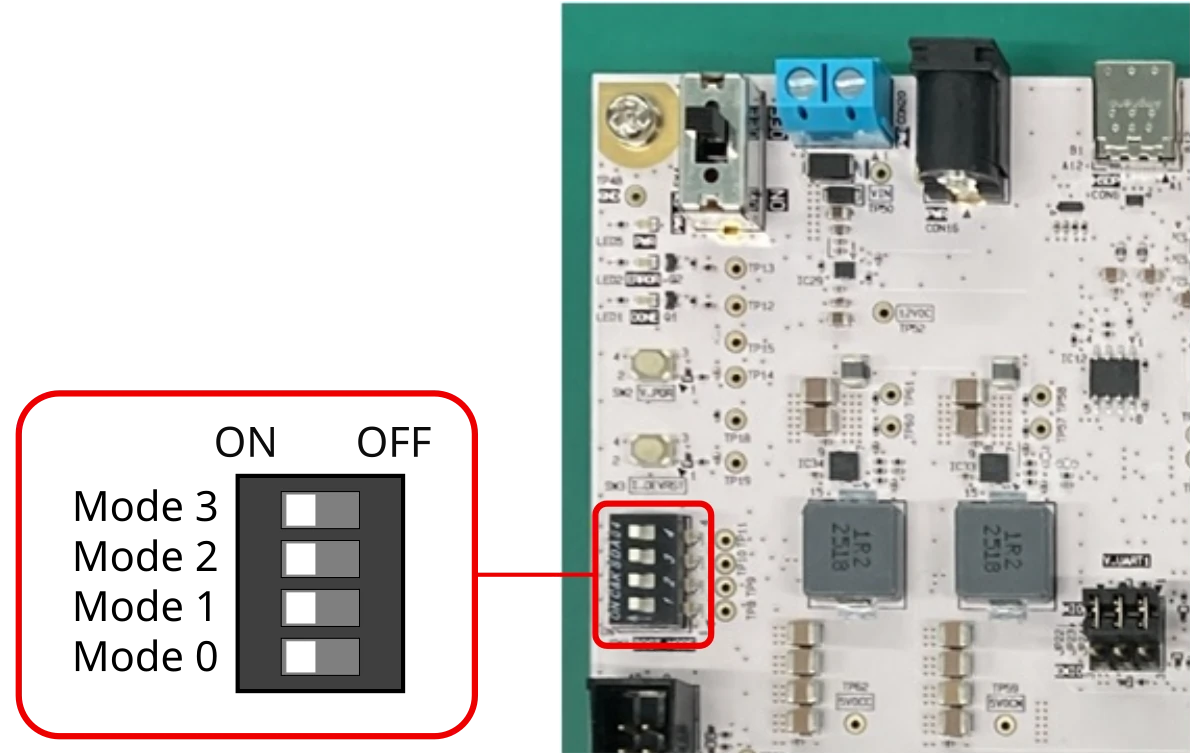
Each switch is directly connected to the Versal MODE[3:0] pins.
JTAG |
QSPI32 (NOR Flash) |
SD v3.0 (microSD) |
|
MODE3 |
ON |
ON |
ON |
MODE2 |
ON |
ON |
ON |
MODE1 |
ON |
OFF |
OFF |
MODE0 |
ON |
ON |
OFF |
All other settings are prohibited and are not supported on SC-OBC Module V1.
For more details on Versal boot modes and boot interfaces, consult the Boot Modes and Interfaces section of the Versal Adaptive SoC Technical Reference Manual (AM011).